FS FATSAWSOFTWARE
LANG EN ES FR DE PT IT JA ZH

MULTIBAND DISTORTION · CROSSOVER · MODULATION

Switch between single-band distortion for full-spectrum processing and three-band multiband distortion with independent Low, Mid and High controls, adjustable crossovers, clipping and graphical modulation.

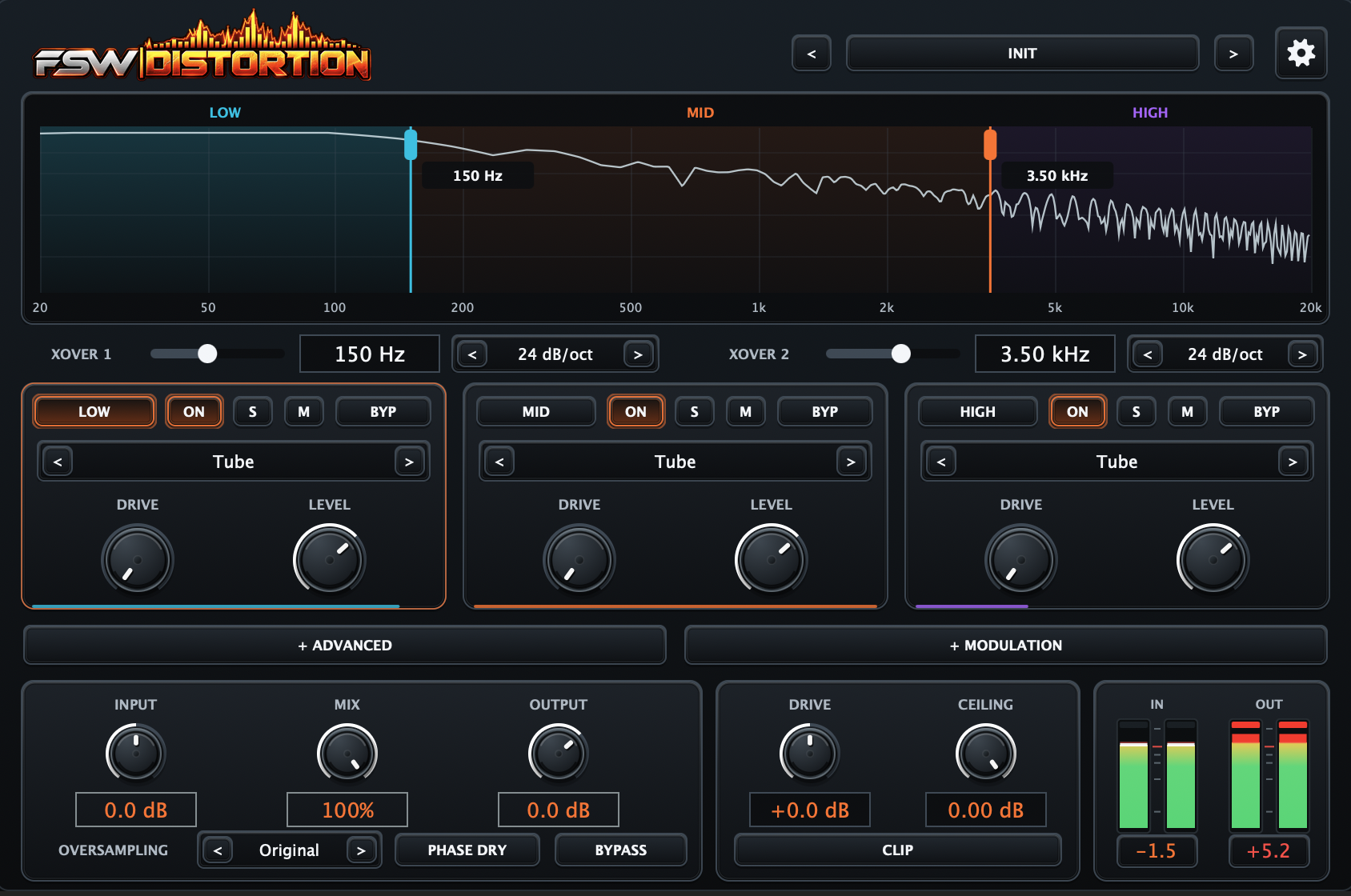
FSW Distortion interface

FATSAW SOFTWARE

Core features

01Single-band mode for full-range distortion
023-band multiband distortion
03Independent Low · Mid · High processing
04Adjustable crossover frequencies
05Selectable crossover slopes
06Multiple distortion families
07Per-band Drive and Level
08Advanced transfer-curve shaping
09Threshold · Ceiling · Shape · Symmetry
10Bias · Mix · Output · Transient · Stereo Link
11Graphical ENV and LFO modulation
12Internal follower modulation
13Drag-to-modulate workflow
14Global Input · Mix · Output
15Oversampling
16Final clip stage
17Input / Output meters
18AU · VST3 · Standalone
19macOS · Windows

FSW Distortion

Inside FSW Distortion

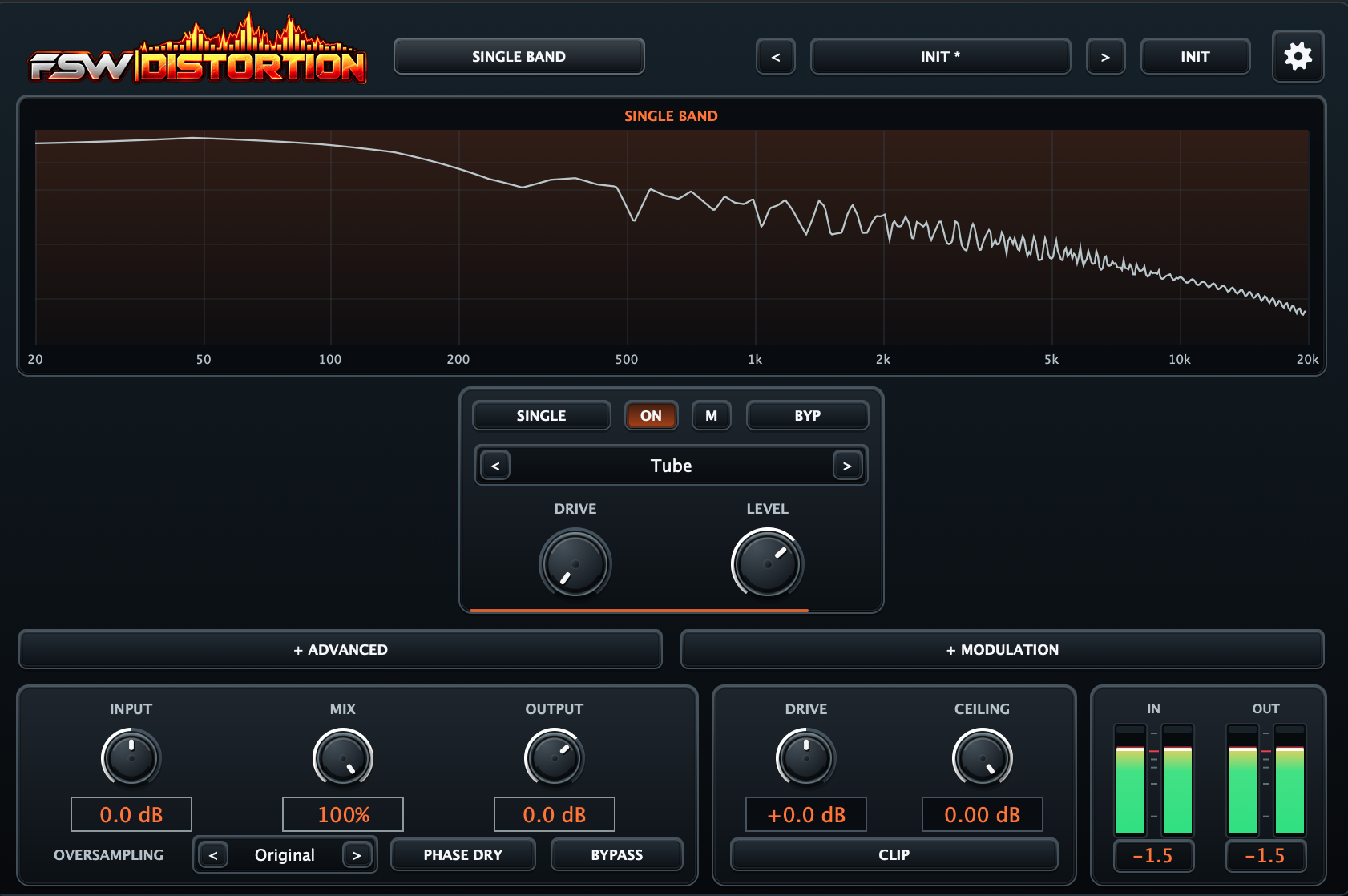
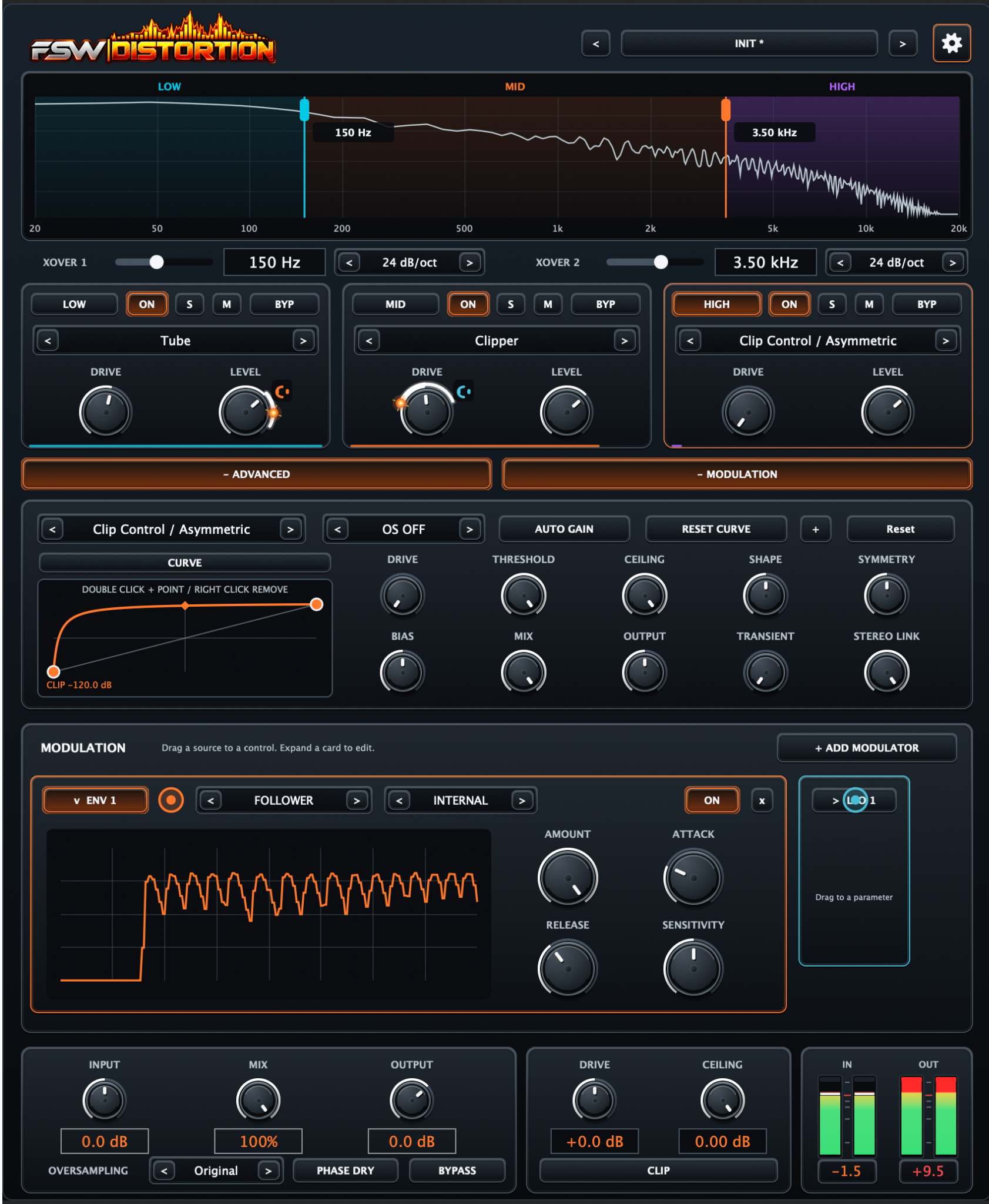
Use Single Band to process the entire signal with one distortion engine, or switch to Multiband to shape Low, Mid and High independently. Both modes share the advanced distortion and modulation workflow.

01 / SINGLE BAND

Full-range distortion with a single processor

Switch to Single Band to process the entire frequency spectrum through one distortion engine without crossover splitting. Choose the distortion type, set Drive and Level, and use Advanced and Modulation when further shaping is needed.

  • Full-spectrum processing without crossovers
  • Single distortion engine
  • Drive and Level controls
  • Algorithm selection
  • Advanced shaping and modulation
FSW Distortion 01 / SINGLE BAND

02 / MULTIBAND ENGINE

Distort Low, Mid and High independently

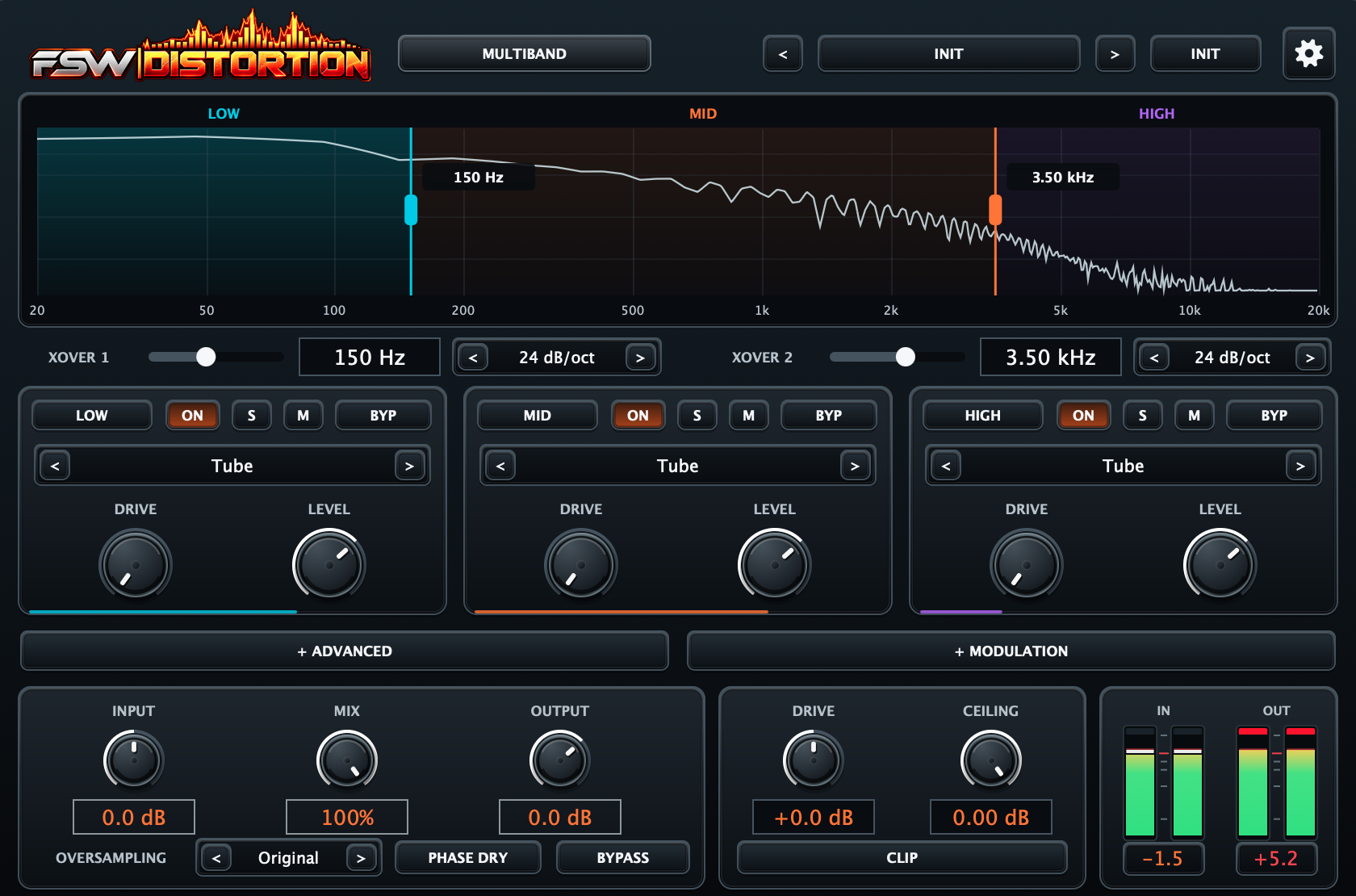
Choose Single Band to distort the full frequency range without crossovers, or Multiband to split audio into Low, Mid and High with a different distortion character in each band. Adjustable crossover points and slopes define where each band works.

  • Single Band: full-range distortion without crossovers
  • Multiband: independent Low, Mid and High
  • Adjustable XOVER 1 and XOVER 2 points
  • Selectable crossover slopes
  • Per-band ON, Solo, Mute and Bypass
  • Independent distortion type, Drive and Level
FSW Distortion 02 / MULTIBAND ENGINE

03 / DISTORTION ENGINE

Move from classic saturation to aggressive digital shaping

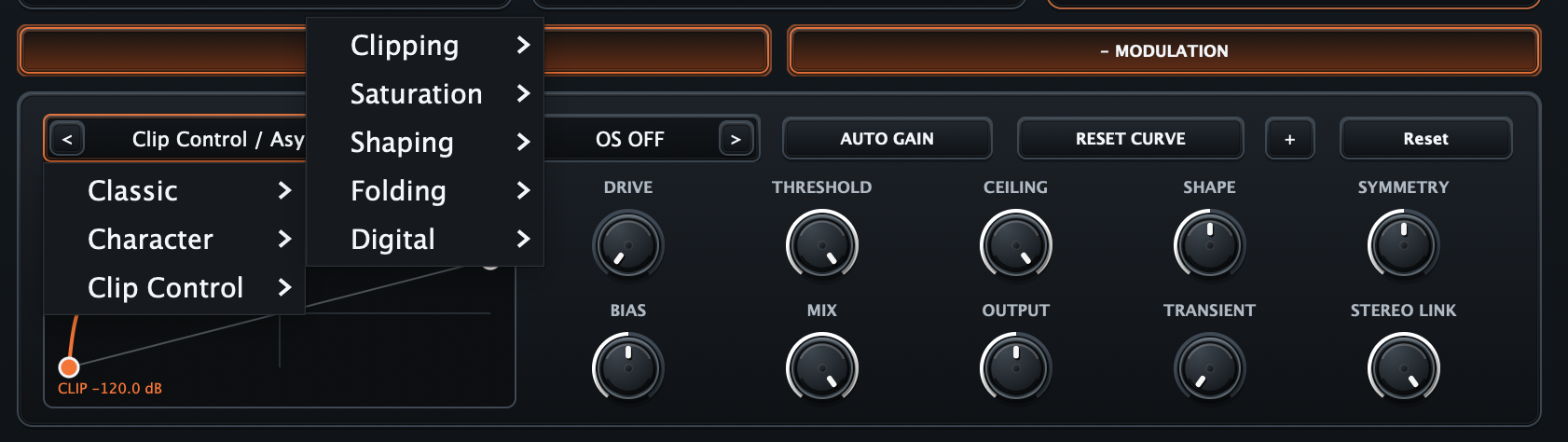
The distortion browser groups algorithms into practical families so you can move quickly from classic and character saturation to clipping, shaping, folding and digital processing. Each band can use its own algorithm, turning FSW Distortion into three independent processors inside one plugin.

  • Classic and Character modes
  • Clip Control processors
  • Clipping and Saturation families
  • Shaping and Folding algorithms
  • Digital distortion modes
  • Independent algorithm selection per band
FSW Distortion 03 / DISTORTION ENGINE

04 / ADVANCED SHAPING

Shape the transfer curve instead of accepting a fixed distortion

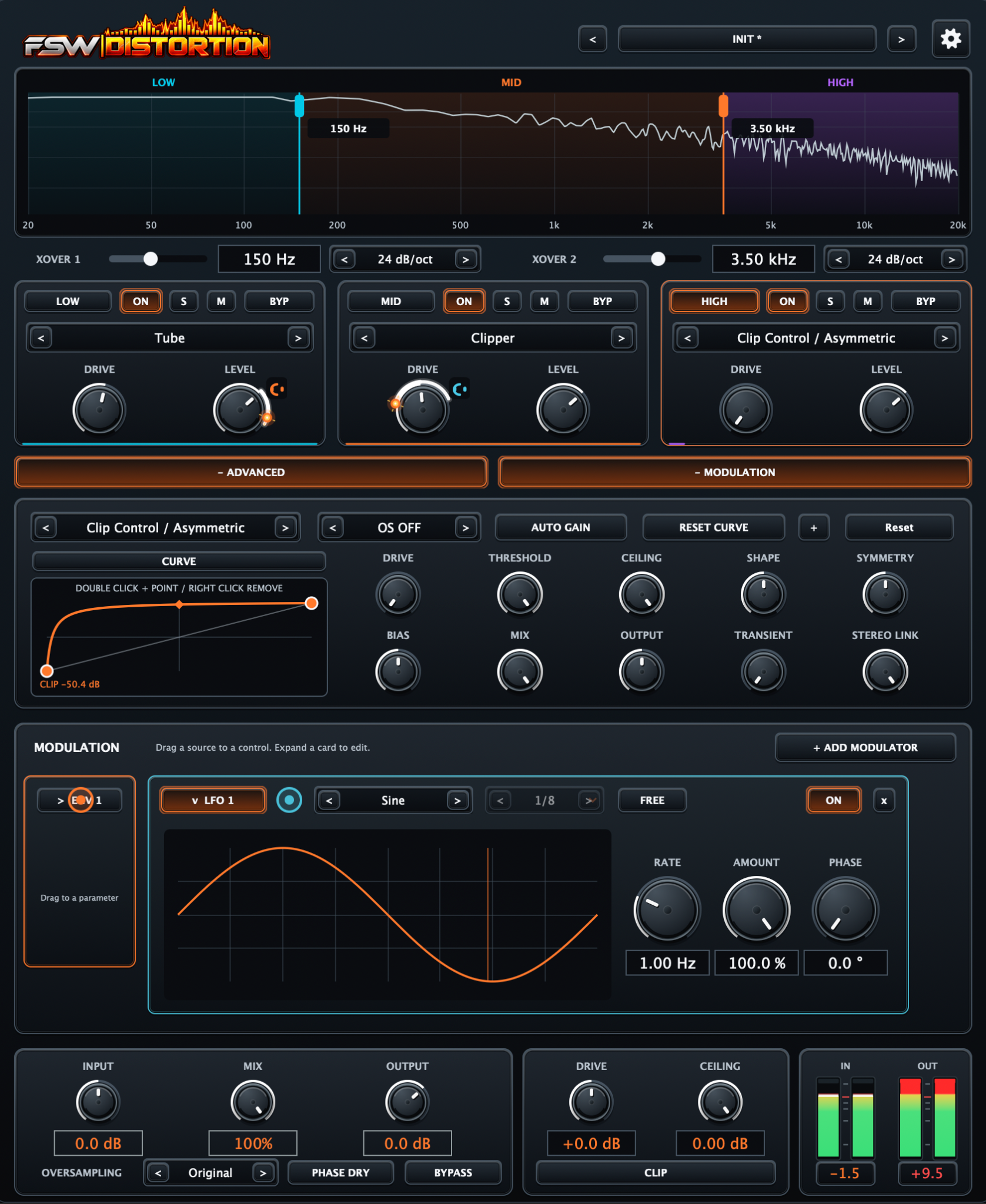
Advanced exposes the controls that define how the selected distortion behaves. Edit the transfer curve visually and refine Drive, Threshold, Ceiling, Shape, Symmetry, Bias, Mix, Output, Transient and Stereo Link for precise control over harmonic structure and dynamics.

  • Editable transfer curve
  • Drive, Threshold and Ceiling
  • Shape and Symmetry control
  • Bias, Mix and Output
  • Transient and Stereo Link
  • Auto Gain and curve reset tools
FSW Distortion 04 / ADVANCED SHAPING

05 / ENV MODULATION

Make distortion react to the signal itself

Envelope modulation can follow the incoming signal and turn level or transient movement into modulation. Choose the source, define Amount, Attack, Release and Sensitivity, then drag the modulator to a compatible parameter for dynamic distortion that follows the performance rather than staying static.

  • Graphical envelope follower
  • Internal source selection
  • Amount, Attack and Release
  • Sensitivity control
  • Drag-to-modulate workflow
  • Real-time modulation feedback
FSW Distortion 05 / ENV MODULATION

06 / LFO MODULATION

Add tempo-synced or free-running movement

LFO modulation adds cyclic movement to distortion parameters without leaving the main workflow. Choose a waveform, switch between synced and free timing, then control Rate, Amount and Phase while the graphical display shows the modulation shape in real time.

  • Graphical LFO display
  • Multiple waveform shapes
  • Free and synced timing
  • Rate, Amount and Phase
  • Drag source directly to parameters
  • Designed for rhythmic and evolving distortion
FSW Distortion 06 / LFO MODULATION

07 / OUTPUT & CLIP

Control level, parallel mix and the final clipping stage

The global section keeps gain staging simple after the multiband processor. Set Input, Mix and Output, choose oversampling, control the dry-phase behaviour and use the dedicated final Clip stage with Drive and Ceiling while monitoring input and output levels in real time.

  • Global Input, Mix and Output
  • Oversampling modes
  • Dry-phase control
  • Final Clip stage
  • Drive and Ceiling
  • Stereo input and output meters
FSW Distortion 07 / OUTPUT & CLIP

08 / FSW DISTORTION

A complete distortion workspace in one focused processor

From subtle multiband saturation to heavily animated clipping and waveshaping, FSW Distortion is designed to keep complex processing accessible. The compact FSW interface keeps the spectrum, band controls, advanced shaping, modulation and final gain staging connected from top to bottom.

  • Multiband architecture
  • Extended distortion palette
  • Graphical transfer shaping
  • ENV and LFO modulation
  • Compact FSW workflow
  • AU, VST3 and Standalone
FSW Distortion 08 / FSW DISTORTION

Part of the FATSAW Software ecosystem

FSW Distortion

Buy nowExplore compatible presets