FS FATSAWSOFTWARE
LANG EN ES FR DE PT IT JA ZH

FILTRE MULTIMODE · PHASE · MODULATION

Un filtre multimode de précision pour un modelage tonal détaillé, un routage flexible et une modulation avancée, avec réponse, FFT et analyse de phase en temps réel dans une interface ciblée.

FSW Filter interface

FATSAW SOFTWARE

Fonctions principales

01Jusqu’à 4 modules de filtre
02Cutoff · Resonance · Drive
03Plusieurs types de filtres
04Pentes de 6–48 dB
05Routage série et parallèle
06Routage Split / Merge
07Traitement Stereo · Mid · Side
08Zero Latency · Natural Phase · Linear Phase
09Réponse + FFT de sortie
10Vue Phase / Group Delay
114 LFO + 4 ENV
12Follower interne / externe
13Workflow de presets
14Undo · Redo · Init
15MIDI Learn
16AU · VST3 · Standalone
17macOS · Windows

FSW Filter

À l’intérieur de FSW Filter

FSW Filter combine conception de filtres détaillée, routage avancé, modes de phase et modulation modulaire tout en gardant le trajet du signal clair et rapide à éditer.

01 / MOTEUR DE FILTRE

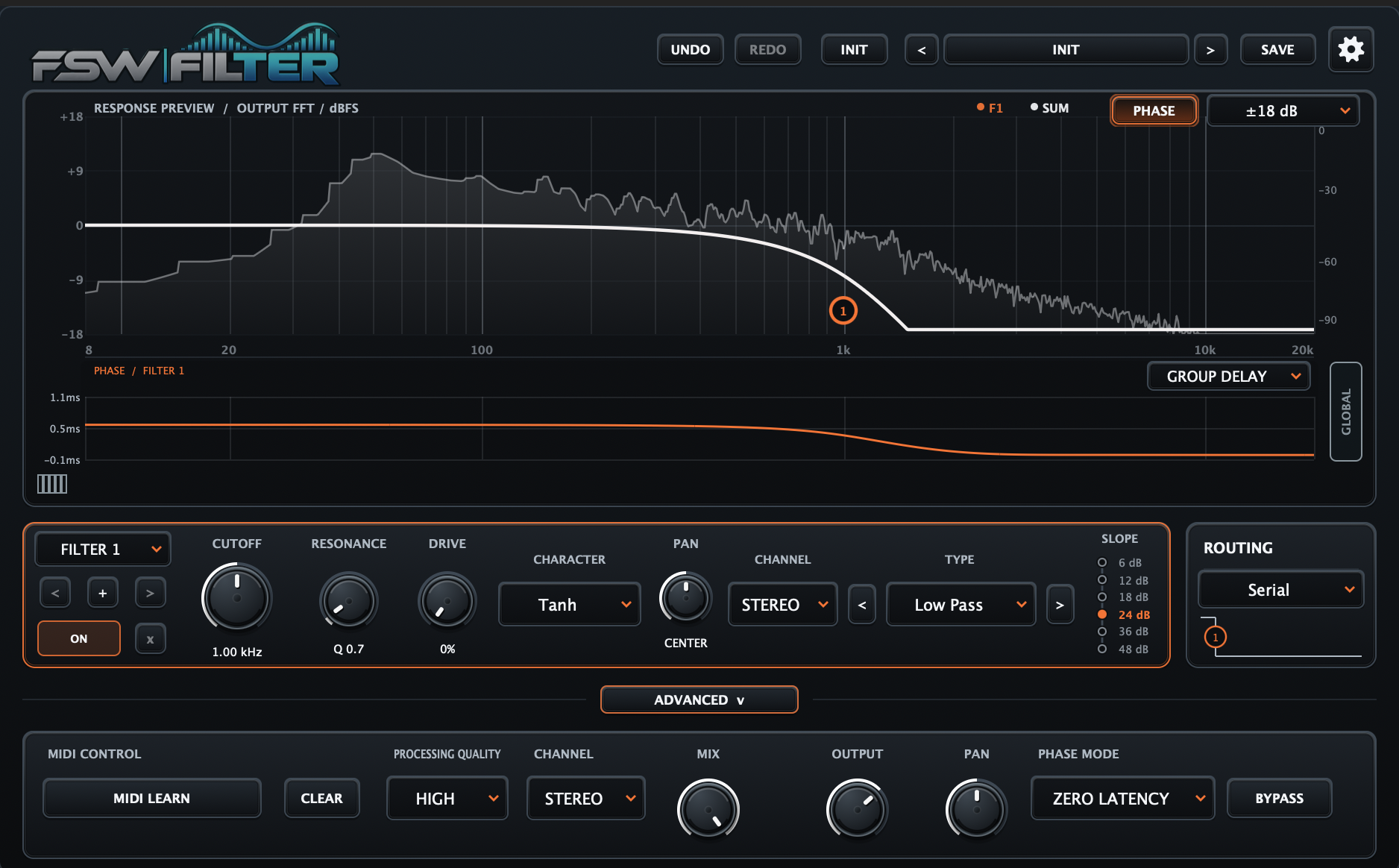
Façonnez chaque bande avec précision

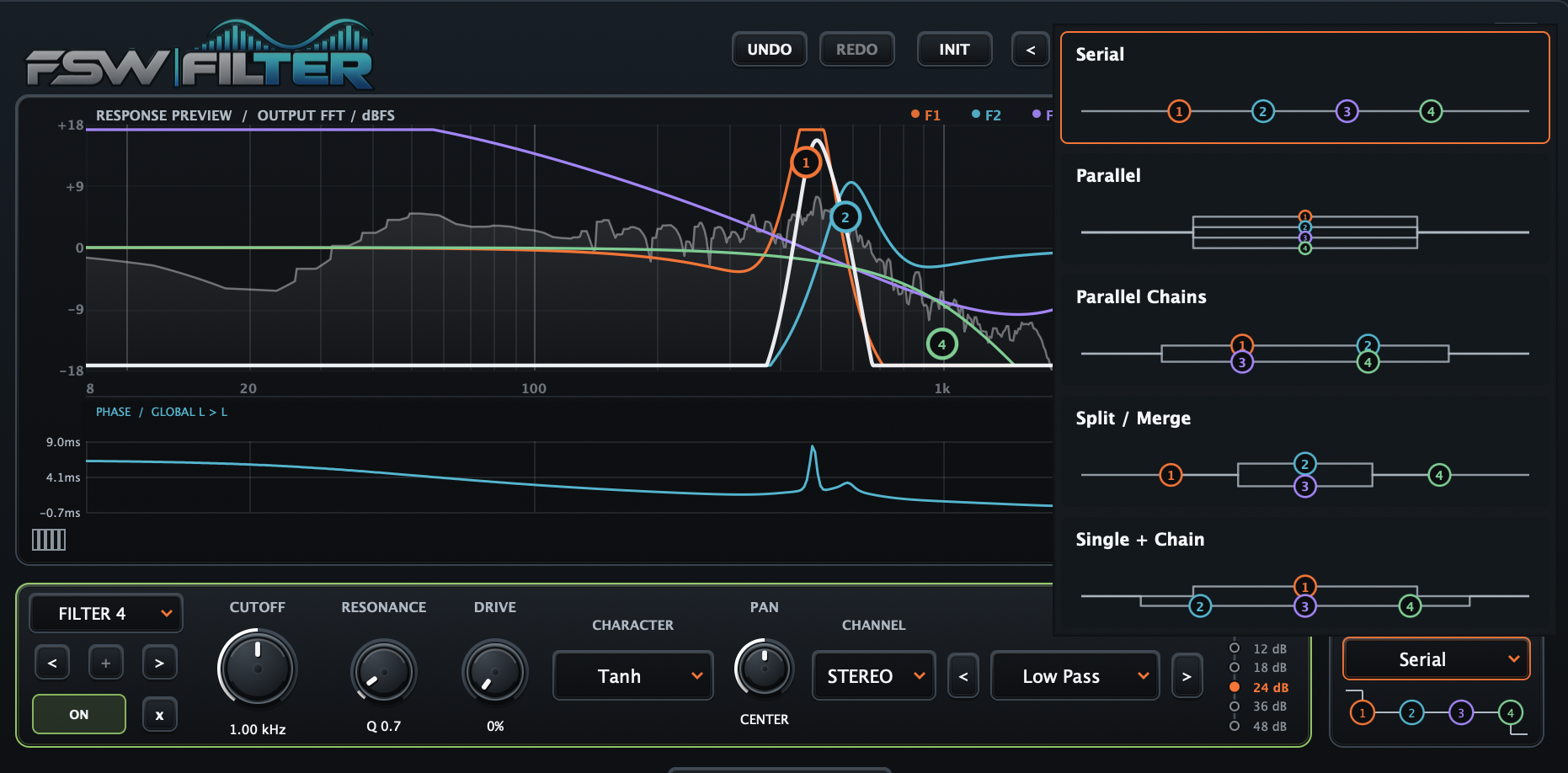
Chaque module offre un contrôle direct du cutoff, de la résonance, du drive, du pan, du mode de canal, du type de filtre et de la pente. La grande vue de réponse garde visibles les filtres actifs et leur résultat combiné.

  • Cutoff, Resonance et Drive
  • Pan et mode de canal par filtre
  • Plusieurs réponses et pentes
  • Prévisualisation combinée avec contexte FFT
FSW Filter 01 / MOTEUR DE FILTRE

02 / ROUTAGE

Créez des trajets série, parallèle et hybrides

Route up to four filters as a straight serial chain, fully parallel network or hybrid structure. The routing graphic shows the signal flow directly, so complex combinations stay clear at a glance.

  • Routage série
  • Routage parallèle
  • Parallel Chains
  • Split / Merge
  • Single + Chain
FSW Filter 02 / ROUTAGE

03 / PHASE MODES

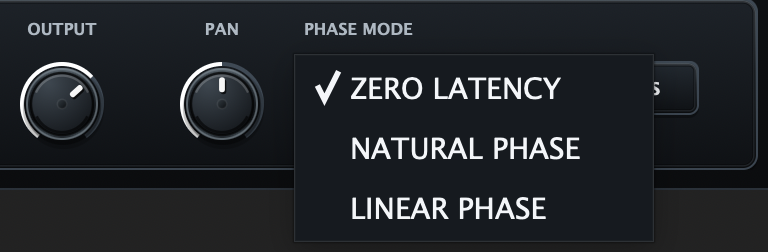
Choisissez le comportement de phase adapté

Switch directly between Zero Latency, Natural Phase and Linear Phase. The dedicated selector makes the active processing mode explicit at all times.

  • Zero Latency
  • Natural Phase
  • Linear Phase
FSW Filter 03 / PHASE MODES

04 / MODULATION

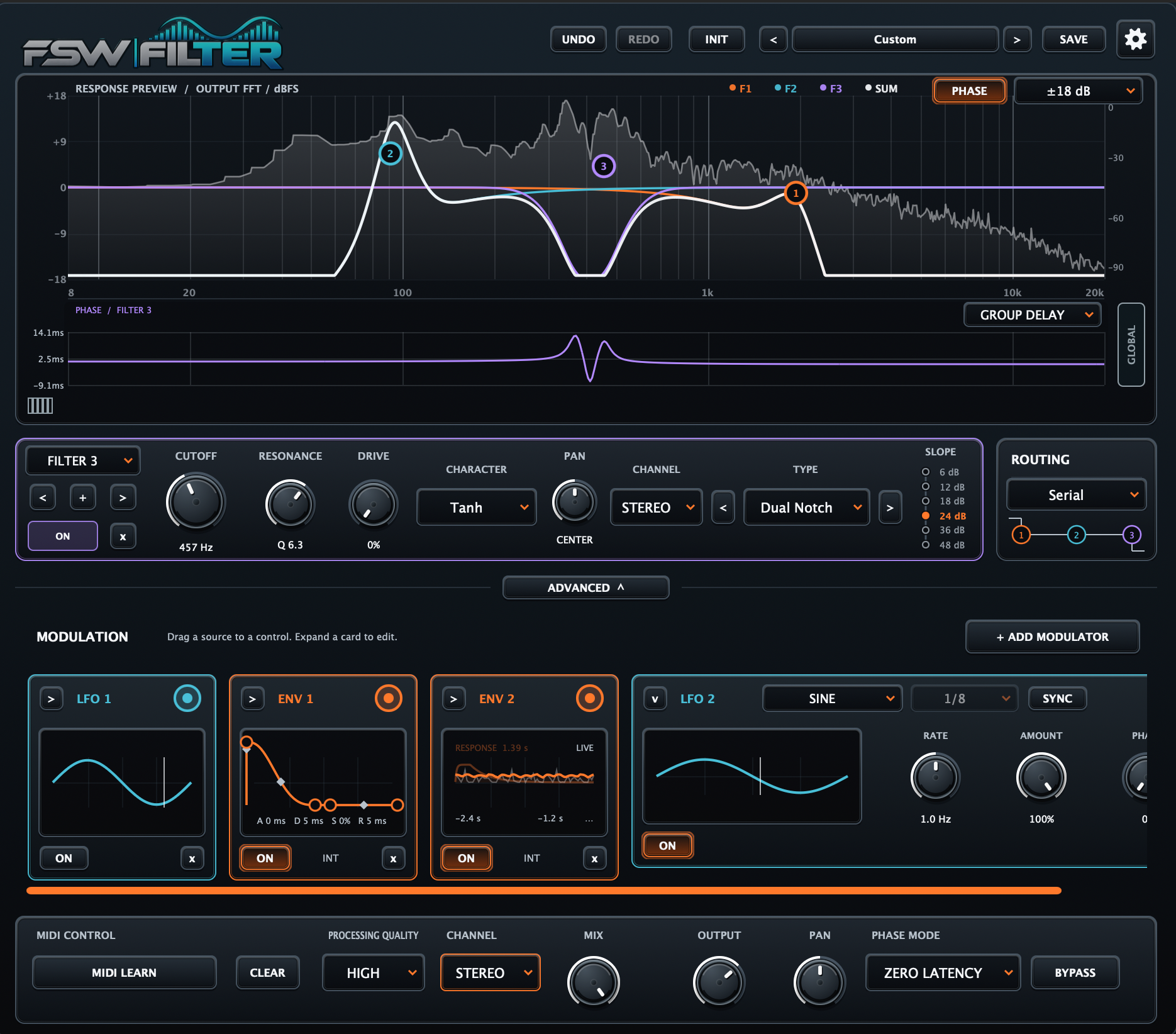
Create movement with graphical LFOs and envelopes

Build movement with graphical LFO and ENV modules directly inside the Advanced section. Add modulators as needed, edit their shapes visually and drag each source to compatible filter controls for fast, musical modulation.

  • Jusqu’à 4 modules LFO
  • Jusqu’à 4 modules ENV
  • Éditeurs graphiques de modulation
  • Workflow drag-to-modulate
  • Per-source ON/OFF control
FSW Filter 04 / MODULATION

05 / FOLLOWER · INT / EXT

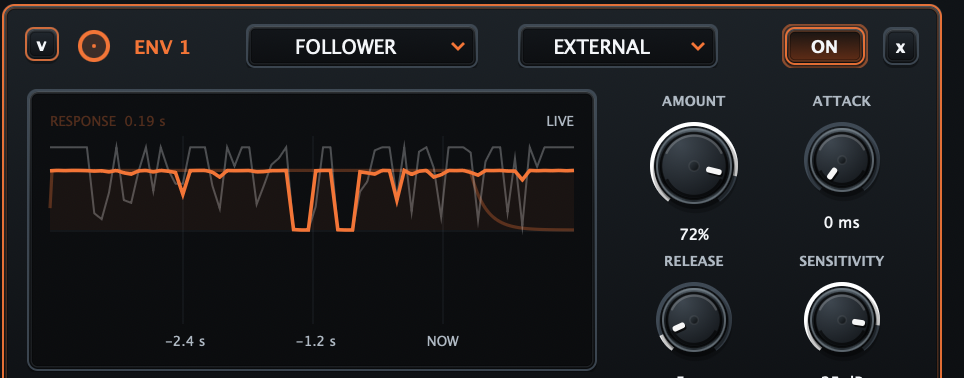
React to the internal signal or an external sidechain

Switch an envelope to Follower mode and choose INTERNAL to react to the plugin input or EXTERNAL to follow a sidechain source. Shape the response with Amount, Attack, Release and Sensitivity while monitoring the detector in real time.

  • INTERNAL / EXTERNAL source
  • Contrôle Amount
  • Attack and Release
  • Sensitivity
  • Live follower response
FSW Filter 05 / FOLLOWER · INT / EXT

06 / 4 FILTERS · RESPONSE & FFT

See all four filters working together

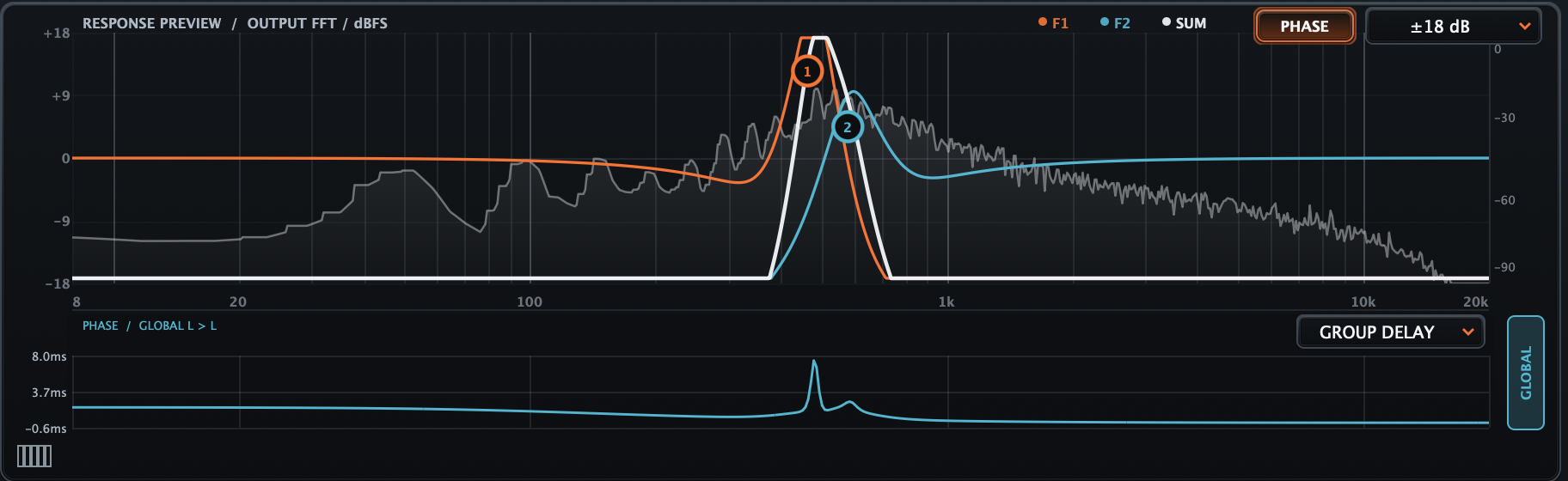
View the four active filter curves, the combined SUM response and the live output FFT in the same analyser. The keyboard reference makes it easy to relate resonant peaks, cuts and harmonic structures to musical pitch while shaping complex multi-filter patches.

  • Up to 4 simultaneous filter curves
  • Combined SUM response
  • Live output FFT
  • Keyboard frequency reference
  • Clear visual interaction between filters
FSW Filter 06 / 4 FILTERS · RESPONSE & FFT

07 / RESPONSE · FFT · PHASE

See the spectrum and phase behaviour together

The main analyser combines the active filter curves, the SUM response and the live output FFT with a dedicated phase area below. Group Delay makes the frequency-dependent timing behaviour visible in the same view, so spectral changes and phase behaviour can be read together.

  • Response preview
  • Live output FFT
  • Per-filter and SUM curves
  • Group Delay display
  • Frequency-dependent phase reading
FSW Filter 07 / RESPONSE · FFT · PHASE

08 / STEREO · MID · SIDE

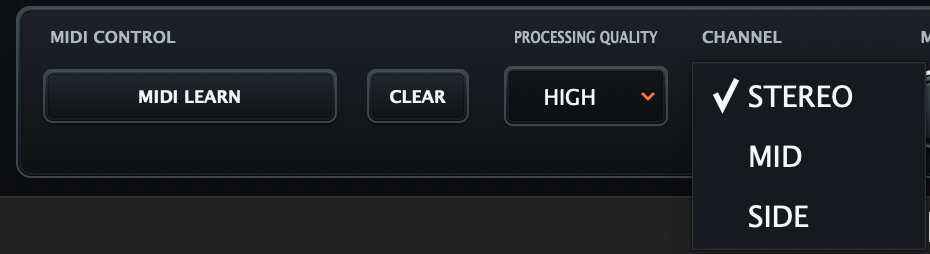
Work in Stereo, Mid or Side

Choose whether FSW Filter processes the full stereo signal, only the Mid information in the centre, or the Side information at the edges. This makes it possible to shape tone and space independently without leaving the main global section.

  • Stereo for full-signal processing
  • Mid for centre-focused filtering
  • Side for edge-focused filtering
  • Independent tonal and spatial control
FSW Filter 08 / STEREO · MID · SIDE

Fait partie de l’écosystème FATSAW Software

FSW Filter

AcheterDemo macOSDemo WindowsDécouvrir les presets compatibles